FeaturesLive engagement

Make every session a conversation

Chat, Q&A and live polls inside every session, with moderation built in. Speakers see the best questions and results on screen.
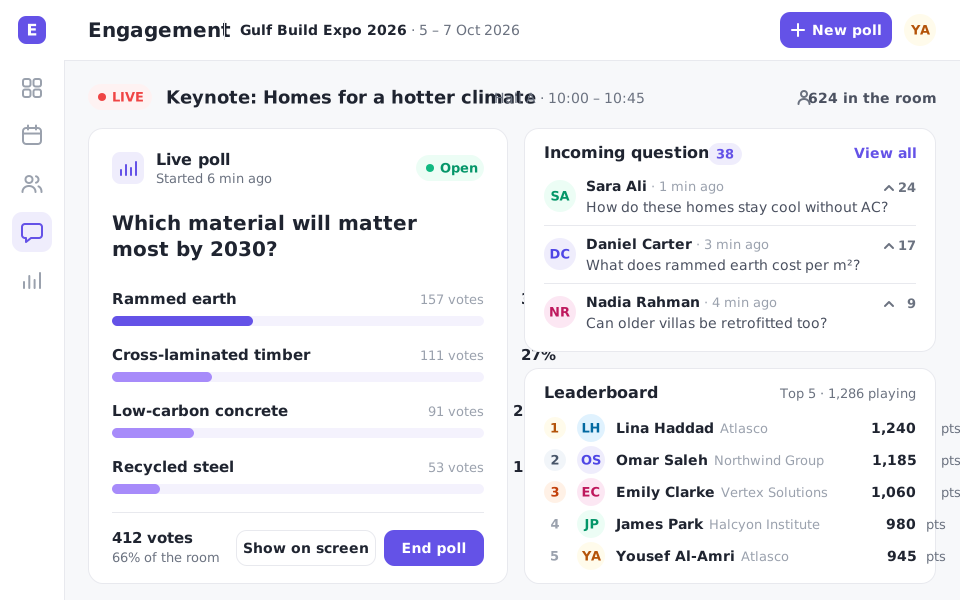
  • Session chat
  • Moderated Q&A
  • Live polls
The engagement dashboard: a live poll's results, incoming questions and the event leaderboard

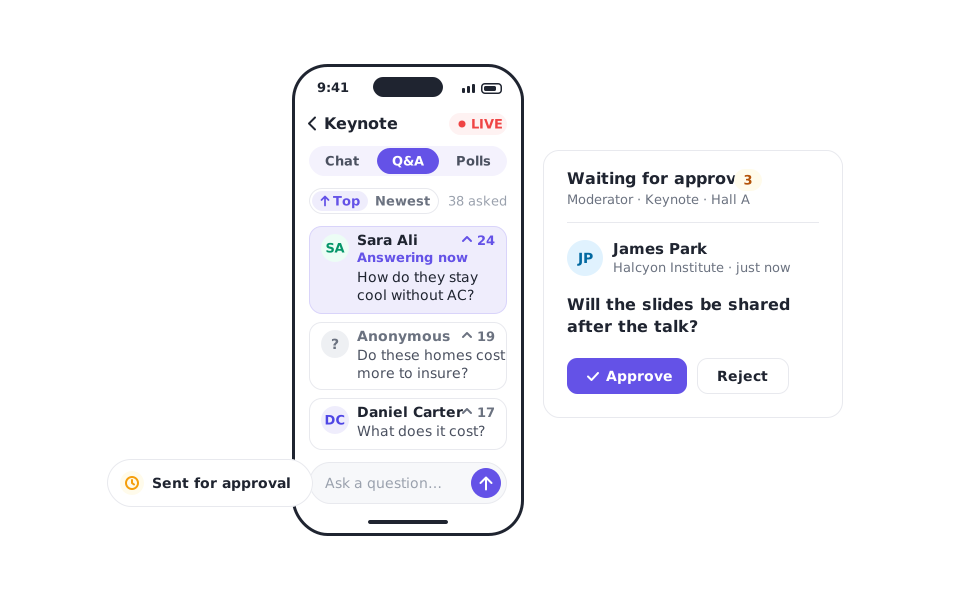
Q&A

The best questions rise to the top

Attendees ask and upvote questions. Moderators approve them, and speakers see the queue on their own screen.

  • Upvoting and sorting
  • Moderation before publishing
  • Anonymous questions if allowed
The session Q&A sorted by votes, a moderator approving a new question before it's published, and an anonymous question

Polls

Live polls with instant results

Launch single, multiple-choice or rating polls during a session and show results on the big screen.
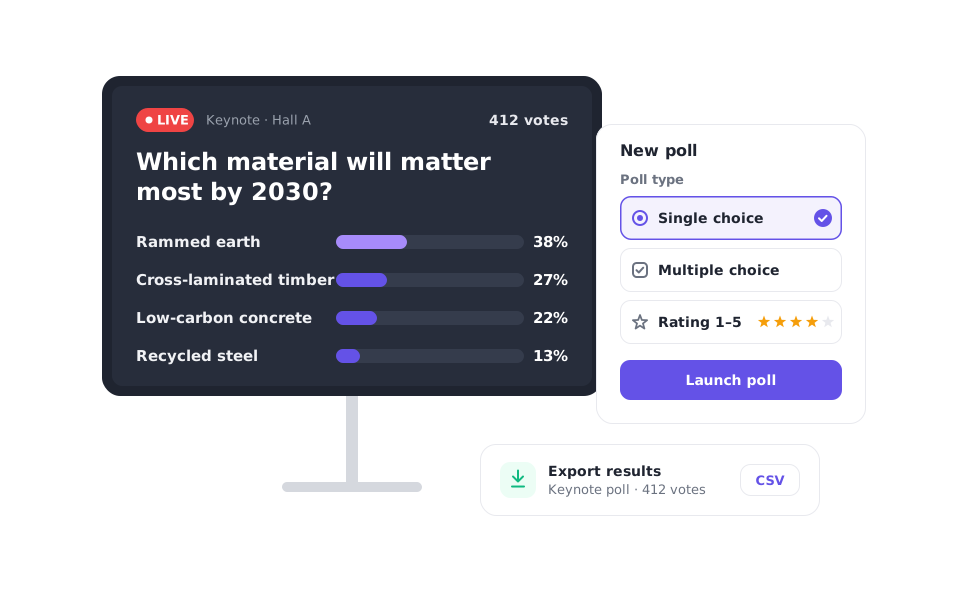
  • Multiple poll types
  • Results on stage screens
  • Export results after the session
A poll's results on the stage screen, the poll type picker with single choice, multiple choice and rating, and an export of the results

Chat

Conversation that stays on topic

Each session has its own chat. Moderators can pin, hide or remove messages at any time.
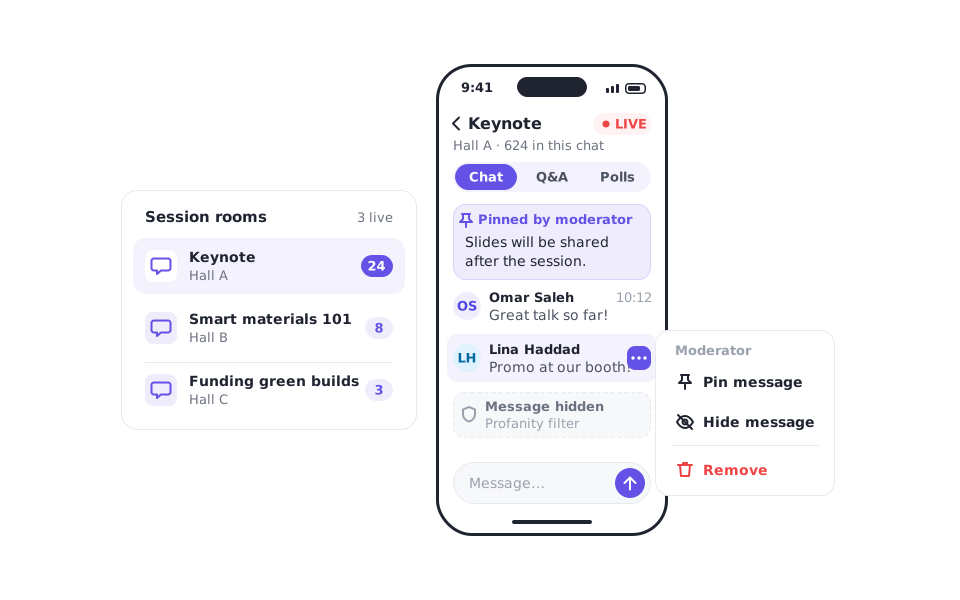
  • Per-session chat rooms
  • Pin and hide messages
  • Profanity filtering
A session's chat with a pinned message, a moderator menu to pin, hide or remove a message, and a message held by the profanity filter
Capabilities

Tools for speakers and moderators

Session chatA chat room for every session.
Speaker viewQuestions and polls on the speaker's screen.
Live pollsInstant feedback from the room.
ModerationApprove, pin or hide in one tap.
RatingsSession ratings after each talk.
Engagement dataQuestions, votes and chat per session.
How it works

Run an interactive session

1Prepare pollsAdd polls to the session in advance.
2Go liveOpen Q&A and chat when the talk starts.
3Review resultsSee engagement and ratings afterwards.

Questions about live engagement

  • Yes. Moderators can approve questions before they appear to everyone.

See live engagement with your own event

A 30-minute walkthrough, set up with your event's details.

Book a demo